Skip to content
0478 552 226 Mon–Sat 8am–7pm · Sun 8am–2pm
Computer Repairs Yokine

Computer Repairs Yokine Same-Day PC Repairs

Straightforward computer repairs in Yokine for laptops, desktops, Wi-Fi and everyday technology problems affecting home or work.

Same-day service No fix, no fee 90-day guarantee
Trusted local technicians

Computer repairs Yokine locals trust

Microsys provides computer repairs in Yokine for home users, remote workers and small businesses. We diagnose slow performance, startup failures, Windows errors, malware, overheating, failing storage and damaged laptop hardware. Support also covers email, printers, Wi-Fi, backups, file transfers and replacement-device setup.

We start with the symptoms and test the most likely hardware, software and network causes. This prevents unnecessary part replacement and gives you a clear recommendation on whether repair, upgrade or replacement is worthwhile.

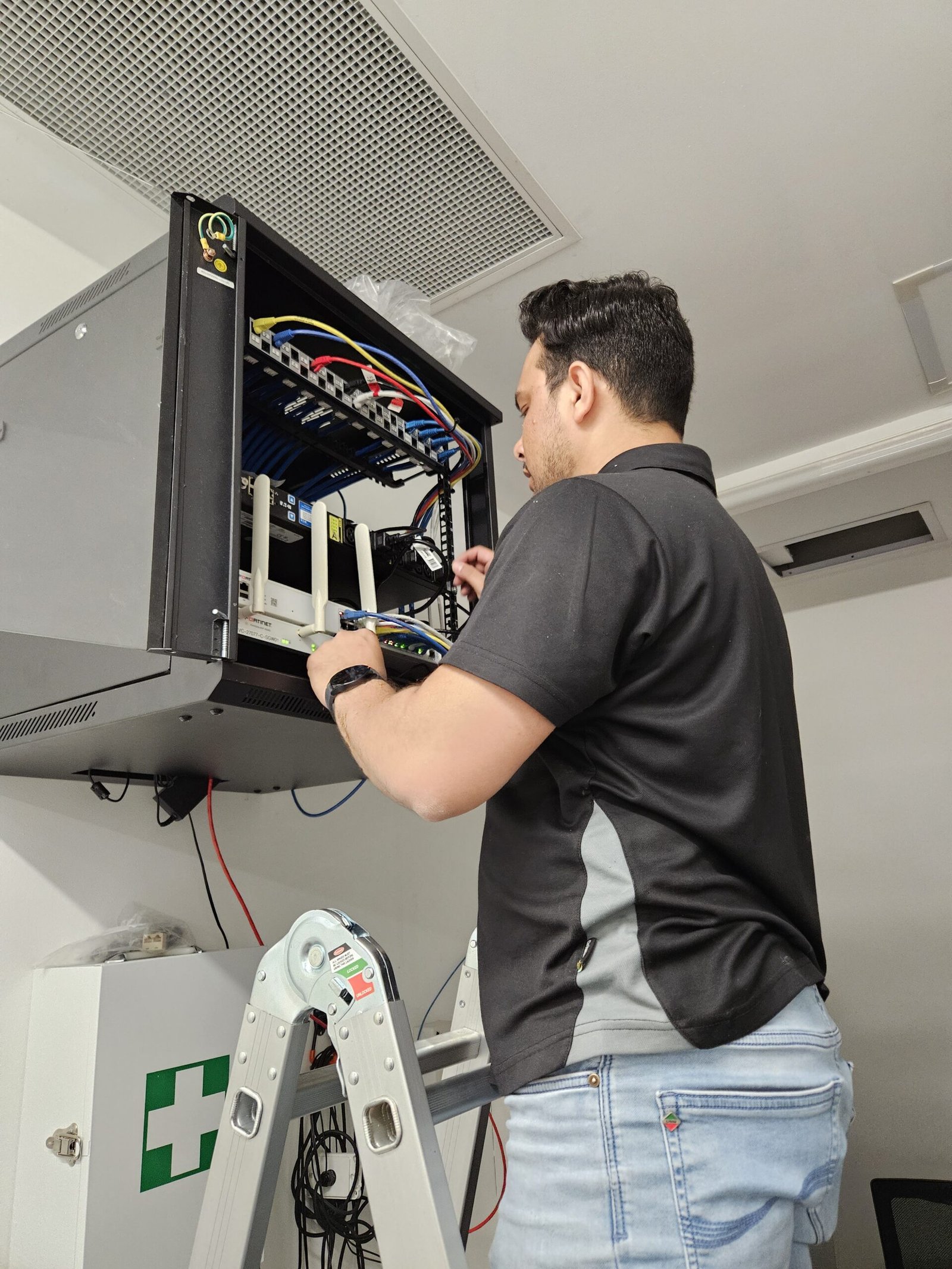
An onsite Yokine appointment is useful for wireless coverage, printer problems, several connected devices and home-office setups. Secure remote help suits many software, account and email issues. Workshop diagnostics are available for physical damage, no-power faults, overheating and repairs needing parts.

Residential support is 0 + GST per hour and business support is 0 + GST per hour. Time is billed in 30-minute increments, with the intended work and costs discussed before starting.

Having trouble with a laptop specifically? Our Laptop Repairs service covers charging faults, cracked screens and slow performance. For desktop computer repairs in Yokine, our workshop and onsite team handles everything from a computer that won't turn on to persistent Windows errors.

Get an Upfront Quote
Microsys technician repairing a desktop computer for a Yokine customer
What we fix

Common Computer Problems We Fix

If you're dealing with any of these, you're in the right place. Our Yokine technicians diagnose the true cause and give you a fixed price before any work begins.

Computer Won't Turn On

A Yokine computer that will not start is tested from power input through memory, storage and Windows boot. Laptop charging faults are separated from battery and motherboard problems so customers are not quoted for a major repair before simpler causes are ruled out.

Blue Screens & Crashes

Blue screens and freezes that interrupt remote work need more than a quick reset. We examine crash records, memory, storage, temperatures and recent updates, then reproduce the normal workload where possible to confirm the repair.

Computer Running Slow

When a home or apartment computer becomes sluggish, a full drive, low memory and unnecessary startup programs are common. We measure each factor and distinguish ordinary cleanup from genuine hardware decline before recommending an upgrade.

Strange Noises or Overheating

Constant fan noise or a hot case can signal blocked cooling or a failing fan, while clicking suggests storage trouble. We clean and test cooling systems, but treat drive noise urgently so photos, documents and work files have the best chance of recovery.

Computer Won't Connect to Wi-Fi

Yokine Wi-Fi problems may be limited to one room, one computer or peak times when several devices are active. An onsite visit lets us compare signal, router settings and adapters and choose a targeted fix rather than adding equipment without evidence.

Viruses, Pop-Ups & Scams

Fake antivirus messages, browser redirects and unexpected remote tools are removed thoroughly. We review downloads, extensions and account settings and provide clear next steps if passwords or financial information may have been exposed.

Not sure what's wrong with your computer?

Tell us the symptoms and we'll give you a fast, honest assessment — no obligation.

Simple process

How Computer Repairs Work at Microsys

From your first call to a fully working computer — clear, quick and completely stress-free.

1

Diagnose

We identify the problem and determine the likely cause, whether that means testing hardware, checking Windows logs, or running diagnostics in our workshop.

2

Upfront Quote

We explain the recommended repair and the expected cost before we proceed. You approve the price — there are no surprises added afterwards.

3

Fix

We complete the repair, with same-day service wherever practical, and test everything thoroughly before your computer comes back to you.

Your choice

Onsite or Workshop Computer Repairs

Every job is a little different, so Microsys offers two ways to get your computer fixed.

Onsite Computer Repairs

During an onsite Yokine visit, we can test the computer with its usual router, printer and peripherals. That context helps identify faults that only appear within the home or workplace setup.

Workshop Drop-Off Repairs

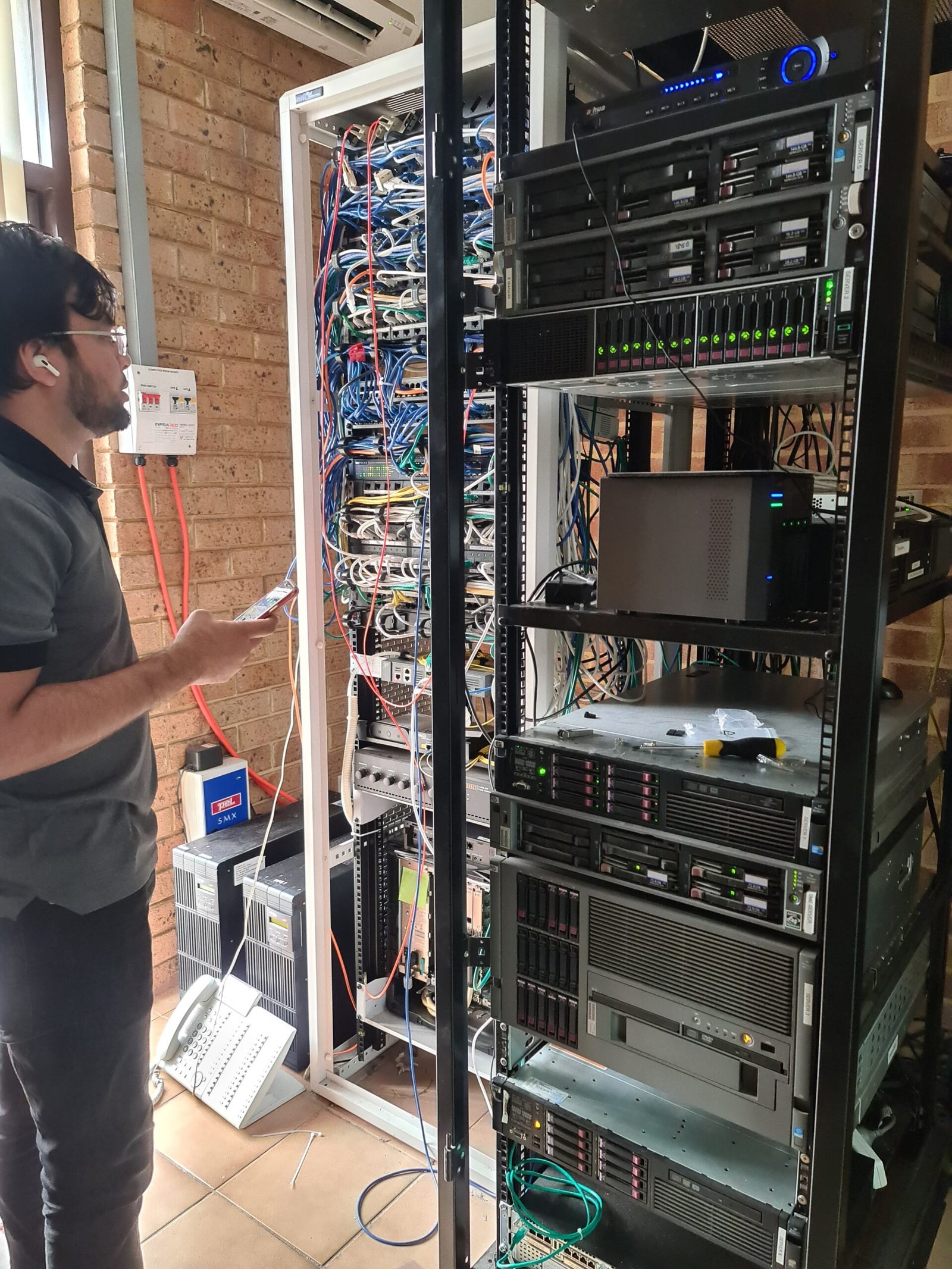
You drop your computer off and we diagnose and repair it at our workshop. This is usually the better option for hardware jobs — hard drive and SSD replacements, motherboard faults, or anything needing specialist tools and a controlled environment.

Not sure which suits your situation? For some software issues, remote support may also be possible — call us and we'll recommend the right option based on what's gone wrong.

Our repair services

Complete computer repair services in Yokine

From quick fixes to full hardware overhauls, our technicians handle it all — with honest advice and a fixed price agreed before we start.

Desktop computer repairs

Complete PC repairs across Yokine for desktop computers of every brand — hardware, software, startup faults and performance problems, all fixed by certified local technicians.

Laptop repairs

Screens, hinges, keyboards, charging faults and slow performance — diagnosed and repaired for laptops from every major brand.

Virus & malware removal

Thorough removal of viruses, spyware, ransomware and scams, with protection set up so the problem doesn't come straight back.

Hardware repair & replacement

Hard drives, SSDs, power supplies, fans, RAM, motherboards and graphics cards repaired or upgraded with reliable, properly matched parts.

Windows & Mac software fixes

Crashing programs, failed updates, corrupted Windows, driver conflicts and login problems resolved quickly on both Windows and Mac computer repair jobs.

Computer upgrades

SSD and memory upgrades that breathe new life into an ageing computer, often for a fraction of the cost of buying new.

Data recovery & backup

Recovery of lost files and photos where possible, plus automatic backups so your important data is always protected.

Onsite IT support

A technician at your Yokine home or office for repairs, network issues and the day-to-day computer support local businesses rely on.

Why Microsys

Why Yokine Chooses Microsys

Yokine customers choose Microsys for experienced Perth assistance, transparent pricing and recommendations explained without unnecessary jargon. Repairs are tested before handover and workmanship is guaranteed for 90 days.

Same-day availability

Most same-day computer repairs in Yokine are completed within hours, so you're not left waiting around without your machine.

Upfront pricing

You approve a clear, fixed quote before we begin. No hidden fees, no call-out surprises, ever.

No fix, no fee

If we can't solve your problem, you don't pay the labour. We're confident because we get results.

Onsite & workshop options

Choose a technician at your door or a workshop drop-off — whichever suits the job and your schedule.

Verified customer reviews

Trusted by hundreds of Perth homes and businesses, with verified customer reviews backing our work.

90-day guarantee

Every repair is backed by our 90-day workmanship guarantee, for genuine peace of mind.

Laptop diagnostic in progress at the Microsys workshop
Don't ignore the warning signs

Signs your computer needs a repair

A battery that no longer lasts, a charger that must be held at an angle, repeated browser crashes or wireless dropouts are all worth checking. Small intermittent symptoms often identify a failing component before the computer stops completely.

Watch out for a machine that has become noticeably slower over a short period, frequent freezes or crashes, the dreaded blue screen, or a computer that randomly restarts on its own. Loud fan noise and a case that runs hot to the touch are classic signs of overheating. Unusual clicking or grinding noises from inside the case often point to a failing hard drive — a problem worth addressing urgently, before it takes your files with it.

Shut down a device after liquid damage, a swollen battery, an electrical smell or clicking storage. For suspected scams, disconnect it from the internet and do not use contact details displayed in the warning.

Book a diagnosis
Honest advice

Should you repair or replace your computer?

It's one of the most common questions we're asked — and our answer is always honest, never driven by a sale.

For Yokine customers, a repair is worthwhile when it restores a computer that still suits the household or business. We consider reliability, performance, software support and the effort involved in moving to another device.

Storage and memory upgrades can deliver strong value for an otherwise healthy machine, especially where the current setup already includes email, printers and familiar applications.

Replacement is more sensible when several high-cost parts are failing, the computer cannot receive essential security updates or physical damage makes continued use unreliable.

If replacement is chosen, we can transfer recoverable files and configure email, printers, backup and approved programs. The migration is planned around what the user actually needs rather than copying years of unnecessary clutter.

Transparent pricing

What Does Computer Repair Cost in Yokine?

You'll always know the cost before we start. Here's a guide to what computer repairs in Yokine typically cost with Microsys.

Typical computer repair

$99–$299

The final price depends on the problem and work required, and you'll always get a fixed quote first.

Onsite computer repairs

$120 + GST/hr

Home support is $120 + GST/hour and business support is $150 + GST/hour, billed in 30-minute increments. A technician comes to your Yokine home or office, with costs confirmed upfront.

No fix, no fee

$0

If we can't solve your problem, you don't pay the labour. Every repair is backed by our 90-day guarantee.

For a full breakdown of costs, view our full computer repair pricing.

Trusted by Perth locals

What our customers say

A sample of verified reviews Perth customers have left us.

My laptop wouldn't start the morning of a big deadline. Microsys had it fixed and back to me the same afternoon. Lifesavers.
Sarah M.Mount Lawley
Honest, fast and friendly. They told me an upgrade would be cheaper than a new PC and they were right — it runs like new now.
David T.Joondalup
Got rid of a nasty virus and set up backups so it won't happen again. Clear pricing and no jargon. Highly recommend.
Priya K.Fremantle
Computer repairs near you

Servicing Yokine and nearby suburbs

Onsite computer support is available across Yokine and surrounding inner-northern suburbs, together with secure remote assistance and workshop repairs.

Don't see your suburb? We almost certainly cover it. Just give us a call.

Good to know

Computer Repair FAQs

Clear Yokine computer-repair answers about hourly rates, onsite support, laptop faults, malware, Wi-Fi, backups, data safety and guarantees.

Yokine onsite support costs 0 + GST per hour for homes and 0 + GST per hour for businesses. Billing uses 30-minute increments and the work is discussed before it starts.
Yes. Microsys repairs desktops, custom-built PCs and laptops from all major brands, including Windows and Mac computers.
Onsite help is useful for Wi-Fi coverage, printers and connected home-office equipment. Workshop repairs suit no-power faults, internal hardware and jobs requiring dismantling or parts.
Microsys operates on a no fix, no fee basis for applicable repair work, so you do not pay for a repair that does not resolve the problem.
Routine software repairs and common upgrades may be completed the same day. Unstable drives, intermittent faults and ordered parts need more time and careful testing.
We take every precaution to protect your data and can back it up before we start any work. If your files have already been lost or a drive has failed, ask us about our professional data recovery service.
We repair all major brands, including HP, Dell, Lenovo, ASUS, Acer, MSI, Microsoft Surface and Apple Mac, as well as custom-built and gaming PCs.
Many older computers remain worth repairing when their main components are healthy and supported. We compare the likely benefit and lifespan with the cost of a suitable replacement.
Absolutely. Every repair we carry out is backed by our 90-day workmanship guarantee. If something related to our repair isn't right, we'll make it right.
Yes. Liquid spills, drops and power-surge damage are common. The sooner you bring it in, the better the chance of a successful repair, so stop using the device and contact us as soon as possible.
Yes. We work on custom-built and gaming PCs alongside standard brands, including graphics card faults, overheating, power supply issues and performance tuning.
Usually. A laptop that won't charge is often a faulty charging port, damaged cable, worn battery or a motherboard power fault — see our dedicated laptop repairs page for more. We diagnose the exact cause and quote before ordering any parts.
Onsite means a technician comes to your Yokine home or office and fixes the problem in front of you, which suits network issues, setups and many software faults. Workshop repairs suit hardware jobs like drive replacements, motherboard faults or anything needing specialist tools.
Yes, we service Apple Mac desktops and laptops alongside Windows PCs, including software troubleshooting, hardware faults and upgrades where parts allow it.
A clicking or grinding noise from inside the case is a classic warning sign of a failing hard drive. Stop using the computer if you can and get it looked at quickly, since this is one fault where waiting can mean losing files.
In most cases, yes. We can usually remove viruses, spyware and ransomware while keeping your files, programs and settings intact. A full reinstall is only needed in rare, severe infections, and we'll always discuss this with you first.
Same-day Yokine service is subject to technician availability and the type of fault. Remote assistance can be quicker for email, account and software problems.
If your computer is still running, it's worth backing up anything irreplaceable, such as photos, documents and work files, before your appointment. If the computer won't turn on or you can't access your files, don't worry, we can assess backup and transfer options for you.
Yes — our computer setup service covers transferring your files, reinstalling software, setting up email and printers, and configuring security so a new computer is ready to use properly from day one.
Yes. Remote sessions only happen with your permission, you can see everything we do on your screen in real time, and the connection ends the moment the session is closed.
Yes. Alongside home computer repairs, we support Yokine businesses through our business IT support service, covering desktop and laptop repairs, network troubleshooting and general IT support.
As well as Yokine, we regularly service Tuart Hill, Dianella, Coolbinia, Mount Lawley and the wider Perth metro area. See all service areas, or just give us a call.
A quick call is the easiest way to start. Tell us what's going on and we'll talk through likely causes, give you an idea of cost, and arrange onsite, workshop or remote support, whichever suits your situation.
Yes. Every job gets a fixed, upfront quote once we've diagnosed the problem, and we only proceed once you've approved it. There are no surprise charges added afterwards.

Need your computer fixed today in Yokine?

Get an upfront quote today — call 0478 552 226 or book online. Same-day service available, with no fix, no fee.