
A Windows installation service sends a technician, on-site or remotely, to install, reinstall or upgrade Windows on your computer. They back up your files first, set up the correct edition and licence, install drivers and updates, and hand back a machine that starts cleanly. If your PC is slow, infected, failing to boot, or stuck on an unsupported version of Windows, this is usually the fastest route back to a reliable computer.
This guide explains what the service involves, how to prepare, what can go wrong and how to choose help in Perth. It also covers what you can safely do yourself.
TL;DR
- A proper Windows install covers backup, the right edition and licence, drivers, updates and a check that your programs and files are back where they belong.
- Windows 10 stopped receiving regular updates on 14 October 2025, so many older PCs need an upgrade to Windows 11 or a fresh install.
- A clean install wipes the old setup, so a verified backup comes first. Perth shops must also give you a written repair notice about possible data loss.
- At Microsys, home IT support is from $132 per hour and business IT support from $165 per hour, with no call-out fee, a “No fix, no fee” policy and a 30-day guarantee on workmanship and parts.
Table of Contents
- What a Windows installation service actually does
- When a computer needs Windows installed or reinstalled
- Clean install, upgrade or repair install: which one?
- What to check before Windows goes on
- What happens on the day
- Will installing Windows delete my files and programs?
- Your rights when you hand a computer over in Australia
- If installation fails or Windows will not activate
- Doing it yourself or hiring a technician
- Perspective
- How Microsys can help in Perth
- FAQ
- Sources
What a Windows installation service actually does
Most people picture a technician pushing a USB stick into a laptop. That is the shortest part of the job. The work that decides whether you are happy afterwards happens before and after.
A complete service normally includes:
- Assessment. Is Windows the real problem, or is it a failing drive, faulty memory or a dying battery? Reinstalling Windows on faulty hardware just delays the next breakdown.
- Backup. Documents, photos, browser data, email, and application data are copied somewhere safe before anything is erased.
- Installation. Either a clean install, an in-place upgrade or a repair install, chosen to suit your situation.
- Licence and activation. The correct edition is installed and activated, ideally tied to your Microsoft account.
- Drivers and updates. Wi-Fi, graphics, printer and touchpad drivers are installed, followed by Windows updates.
- Restore and setup. Your files return, programs are reinstalled, Microsoft 365 and email are signed in, and printers reconnected.
- Handover. You get a plain English explanation of what was done and how to keep the backup running.
That last step matters for home users and seniors in particular. A machine that works but that you cannot navigate is only half fixed.
When a computer needs Windows installed or reinstalled
Not every slow computer needs a new Windows. Here are the situations where it genuinely makes sense.
Windows 10 has reached end of support
Microsoft ended support for Windows 10 on 14 October 2025. Those PCs still run, but they no longer get regular security fixes or technical assistance from Microsoft. An Extended Security Updates programme is available on eligible Windows 10 PCs and runs to 12 October 2027, which gives some breathing room but is not a long-term plan. Microsoft recommends moving to Windows 11 so you avoid performance and reliability problems over time.
If your PC meets the Windows 11 requirements, an upgrade is usually straightforward. If it does not, you are choosing between replacing the machine or carefully extending the life of the old one. A technician can tell you which makes financial sense before you spend anything. Our computer upgrades and repairs cover both paths.
The system is corrupted or infected
Sometimes malware or years of software clutter leave a system that cleaning cannot fully restore. A clean install is often the cleanest answer when a system is badly corrupted, infected or suffering years of accumulated slowdowns, according to IT training provider ITU Online. Before going that far, it is worth having someone try virus and malware removal, since removal can save the install and your settings. If you are unsure whether you are dealing with infection, the signs of a computer virus are a good starting checklist.
A new drive, new motherboard or new computer
Replace a failed hard drive or upgrade to an SSD and Windows has to go onto the new drive. A new computer may also need setting up properly: removing trial software, transferring files from the old machine and connecting your email, printer and Wi-Fi. That is what our computer setup and data backup and transfer work is for.
Windows will not start, update or stay stable
Blue screens, endless update loops and boot failures sometimes trace back to damaged system files. A repair install can fix them without touching your files. If the cause is hardware, the signs your computer needs professional repair will point that way, and you will want it fixed before reinstalling.
Clean install, upgrade or repair install: which one?
These three terms get mixed up, and the choice affects what you lose.
| Option | What it does | Keeps your files and settings? | Best when |
|---|---|---|---|
| In-place upgrade | Moves you to a newer version of Windows | Yes, settings and preferences are retained | The system is stable and you want minimal disruption |
| Repair install | Reinstalls Windows over itself to fix system files | Usually yes | Windows misbehaves but your hardware is healthy |
| Clean install | Starts from scratch | No, settings are not migrated | Malware, deep corruption or years of clutter |
Microsoft’s own documentation says a custom (clean) installation does not migrate your settings and the previous Windows will not boot afterwards, while an upgrade keeps your settings and preferences. For a business, the difference is bigger again: cached logins, mapped drives, plugins and application settings can take hours to rebuild after a clean install, which is why a technician needs to know the difference between a repair and a rebuild.
Our rule of thumb: if the computer is stable enough to keep, keep it. If it is not, start clean and restore only what you trust.
What to check before Windows goes on
Does your PC meet the Windows 11 requirements?
Microsoft lists these minimum requirements for Windows 11:
- A 1 GHz or faster processor with two or more cores, on a compatible 64-bit processor
- 4 GB of RAM
- 64 GB or more of storage
- UEFI firmware with Secure Boot capability
- TPM 2.0
- DirectX 12-compatible graphics with a WDDM 2.0 driver
- A 720p display larger than 9 inches
To use Microsoft’s Installation Assistant on an existing PC, you also need a Windows 10 or 11 licence, Windows 10 version 2004 or higher, and 9 GB of free disk space. Windows 11 Home and Pro for personal use also need an internet connection and a Microsoft account during initial setup.
The TPM and Secure Boot items are the ones that trip up older computers. Often they are switched off in the firmware rather than missing, which is a quick check for a technician.
Your licence and activation
Windows 11 activates with either a digital licence or a 25-character product key. A digital licence needs no key typing. The edition you install has to match your licence: if you had Home, you reinstall Home. Microsoft also advises linking your Microsoft account to the digital licence before reinstalling, so Windows can reactivate afterwards.
If you replace a motherboard, activation may break. Microsoft’s Activation troubleshooter is designed for that case, and a technician will normally run it for you.
Your backup
Microsoft’s guidance is to back up personal files to an external drive, USB stick or cloud location such as OneDrive before reinstalling. Do not rely only on the Documents folder. Check for:
- Photos and videos saved on the desktop or in odd folders
- Browser bookmarks and saved passwords
- Email archives and Outlook data files
- Accounting or practice software data
- Licence keys and installer files for paid programs
Our five things to do before a computer repair walks through this in more detail. If the drive is already failing and you cannot reach your files, stop and talk to a data recovery technician first, because repeated installation attempts can overwrite what could have been saved.
What happens on the day
Here is the typical flow when we install or reinstall Windows for a Perth customer.
- We confirm the goal. Fix a fault, upgrade, or set up a new machine? That decides the method.
- We secure your data. Files are copied and verified, not just assumed safe.
- We prepare installation media. Microsoft’s tool needs a blank USB drive of at least 8 GB, and the drive is erased in the process. The edition, language and architecture must match.
- We install and activate Windows. Activation usually happens automatically once the PC is online.
- We load drivers and updates. This is where many DIY reinstalls stall, with no Wi-Fi or a flickering screen because a driver is missing.
- We restore your files and programs, and reconnect email, printers and Microsoft 365.
- We show you around and set up an ongoing backup.
A straightforward reinstall is often a few hours of work, though a slow drive, large backups or many programs can stretch it. We would rather tell you that upfront than surprise you.
Will installing Windows delete my files and programs?
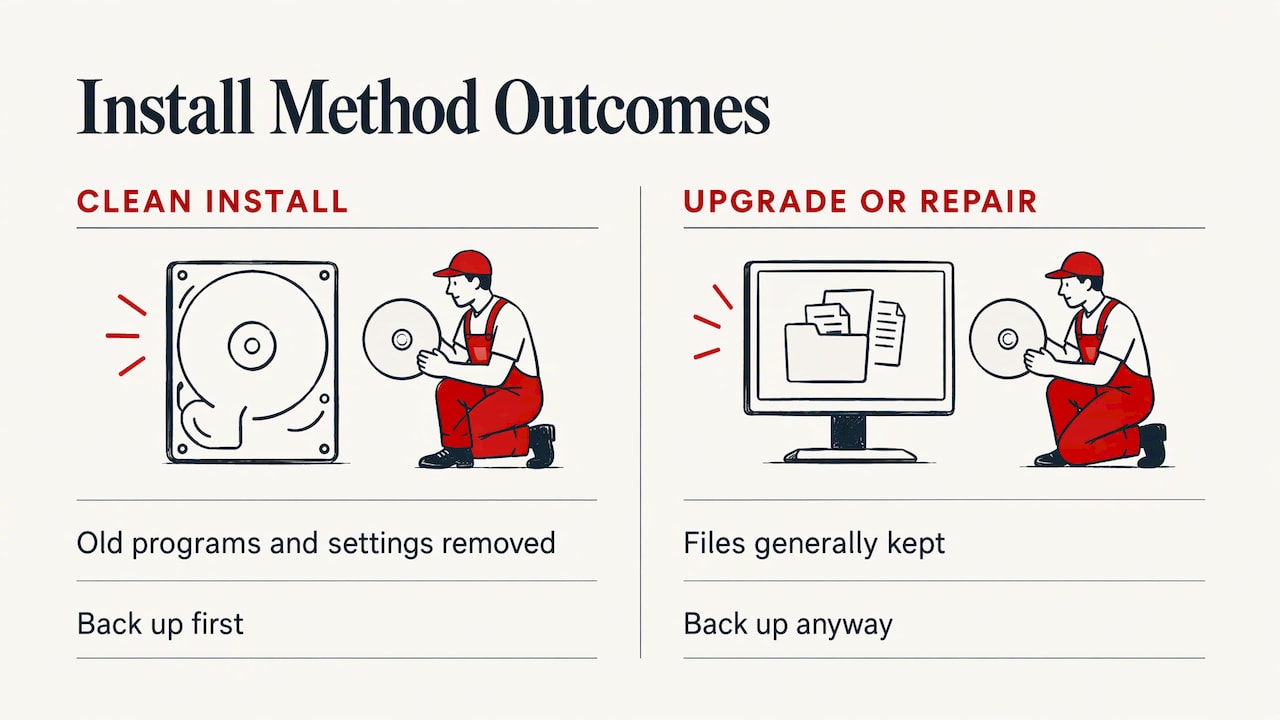
It depends on the method. A clean install removes programs and settings from the old system. That is why backup comes first. An upgrade or repair install generally keeps files, but you should still back up. Software can fail partway through.
After an upgrade, you can go back, but only briefly. Microsoft allows rolling back to the previous version for a limited time, in most cases 10 days. Going back keeps your personal files but removes apps and drivers installed after the upgrade and any settings changes, and you must keep the windows.old and $windows.~bt folders. So do not run a disk cleanup tool in the first fortnight if you might want the option.
Programs are never carried across a clean install. Make a list of what you use, and gather licence keys and installers. Cloud-based tools such as Microsoft 365 simply need signing in again.
Your rights when you hand a computer over in Australia
If a business accepts your computer for repair and it can store your data, the law expects them to tell you in writing first. The ACCC explains that a repair notice must state the repair may cause data loss, though no specific wording is required. The idea is to give you the chance to back up before the work begins, and it applies whether or not the product is second-hand.
Treat that notice as a prompt, not a formality. Ask what will be erased, who is making the backup and where it will be stored. At Microsys, we explain this in plain English before we begin.
If installation fails or Windows will not activate
Most failures fall into a few categories:
- No internet at activation. Microsoft notes that error 0x8007267C can mean you are offline or the activation server is temporarily unavailable. Reconnect and retry later.
- Key already in use. Errors 0xC004C008, 0xC004C770 and 0x803FA071 can mean the product key has been used on another device or on more devices than the licence terms allow.
- Unlisted error codes. Microsoft’s guidance is to contact its support.
- Hardware changes. Replacing a motherboard can deactivate a digital licence, which the Activation troubleshooter addresses.
Repeated failed installs on the same machine often point to a faulty drive, bad RAM or a firmware setting. A hardware check solves more of these than another reinstall does.
Doing it yourself or hiring a technician
If you have a second working computer, a spare 8 GB USB drive, a verified backup and a calm afternoon, a basic reinstall is achievable. It is also the sort of job where small mistakes become big: wiping the wrong drive, missing a licence key, or forgetting a driver for the network card.
Hiring help makes the most sense when:
- The only copy of important files sits on the machine
- The PC is a work computer with email, accounting or line-of-business software
- You are not sure it meets Windows 11 requirements
- It will not start, or you suspect a failing drive
- You want it done in one visit and explained simply
For a small business, a Windows install is also a chance to sort out the surrounding setup. See our small business IT support and the comparison of managed IT vs ad hoc support if you are weighing up ongoing cover.
Perspective
Most Windows reinstalls we are called to were not really about Windows. The customer had a slow, cluttered or infected machine, no recent backup and a growing worry about their photos or work files. So we start with the backup and the diagnosis, not the installer.
Our view is that an installation service is only as good as its handover. If you cannot tell what was done, what was kept and how your files are protected now, the job is not finished. That is why we explain everything in plain English, charge no call-out fee and no weekend surcharge, and stand behind the work with a 30-day guarantee on workmanship and parts.
We also believe in a “No fix, no fee” approach. If we cannot fix it, you do not pay. That lets you make the practical call, whether that is a clean install, an upgrade or a replacement, without worrying that the meter is running against you.
Shuan
How Microsys can help in Perth
We provide on-site and remote support for Windows and Apple devices across Perth, for homes, students, seniors and small businesses. Windows reinstalls, upgrades and new computer setup sit alongside our repair, data backup and recovery work, so one technician can look after the whole job.
Pricing is published: home IT support is from $132 per hour and business IT support from $165 per hour. There is no call-out fee, parts are quoted separately when needed, and our “No fix, no fee” policy and 30-day guarantee on workmanship and parts apply. Prefer a bench visit? Our laptop repairs and workshop service cover that. To book a technician, start at microsys.com.au.
FAQ
How long does a Windows installation take?
A simple reinstall on a healthy computer is commonly a few hours once backups are done. Large backups, many programs or a slow drive add time. We give you an estimate after looking at the machine, so you know what to expect before we start.
Will I lose my photos and documents?
Not if the work is planned properly. We back up and verify your files before a clean install, and the law requires a written repair notice warning about possible data loss. If your drive is already failing, tell us first so we can look at recovery before any install.
Do I need to buy a new Windows licence?
Often not. If Windows was previously activated on your PC, it typically has a digital licence, and Microsoft says the edition you reinstall must match your licence. A new computer or a major hardware change can change the answer, and a technician can check.
Can my old Windows 10 PC run Windows 11?
It depends on the processor, TPM 2.0, Secure Boot and storage. Microsoft publishes the full list of minimum requirements. We can check your machine on-site or remotely and tell you whether to upgrade, extend its life or replace it.
Can Windows be installed remotely?
Some parts of the process can be handled remotely, such as updates, software setup and troubleshooting once Windows is running. A full clean install is usually easier and safer on-site, because the machine has to boot from installation media. We offer both on-site and remote support in Perth.
Sources
- End of support for Windows 10, Windows 8.1 and Windows 7 | Microsoft
- How to Get Windows 11 for Your Compatible PC | Microsoft
- Download Windows 11 | Microsoft Australia
- Windows 11 specifications and system requirements | Microsoft
- Reinstall Windows with the installation media | Microsoft Support
- Activate Windows | Microsoft Support
- Get help with Windows activation errors | Microsoft Support
- Go back to the previous version of Windows | Microsoft Support
- Windows Setup Installation Process | Microsoft Learn
- Windows 10 ISO Download: Official 22H2 Guide | UMATechnology
- Repair notices | ACCC
Recommended
- Computer Setup Perth | New PC, Mac & File Transfer
- Business Computer Repair in Perth: What to Expect and How to Choose
- Onsite Computer Repairs Perth | Technician Comes to You
Filed under: Uncategorized