
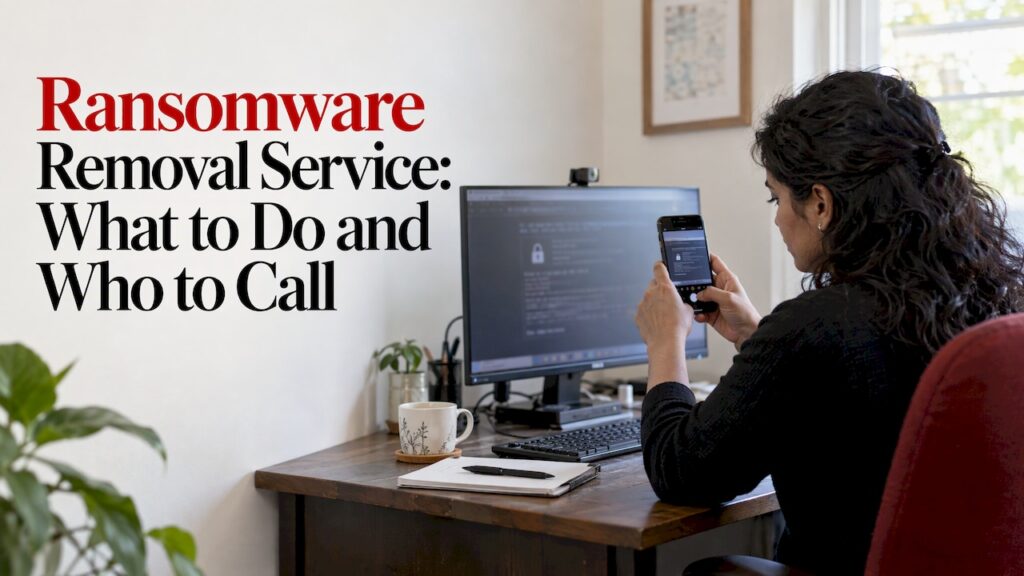
If ransomware has locked your files, do three things now: photograph the ransom note, switch off the infected device, and disconnect everything else on the network. Then get an IT professional to remove the infection and check your backups before you restore anything. Removal and recovery are two separate jobs, and doing them in the wrong order is how people get hit twice.
This guide is for Perth households and small businesses. It covers what to do in the first hour, what a removal service actually does, what your realistic recovery options are, and how to report an attack in Australia.
TL;DR
- Photograph the ransom note, power off the infected device and take other devices off the network. Do not plug in backups or USB drives.
- Removal gets the malware off your systems. Recovery gets your files back. You need removal first, then recovery from clean backups or a verified decryption tool.
- The Australian Government does not condone paying, because payment does not guarantee you get your data back.
- Change important passwords from a clean device, starting with email, banking and cloud storage.
- If your backups may be infected, or you have none, bring in an IT professional. Report the incident through ReportCyber.
Table of Contents
- What to do in the first hour
- Ransomware removal vs ransomware recovery
- Should you pay the ransom?
- Can you get files back without paying?
- When to call an IT professional
- What a ransomware removal service actually involves
- Our perspective
- Get help from a Perth technician
- How to avoid a second attack
- FAQ
- Sources
What to do in the first hour
Speed matters, but panic causes damage. The Australian Cyber Security Centre (ACSC) publishes an emergency response guide for ransomware, and the sequence below follows its advice.
1. Record what you see
Before you touch anything, take photos of the ransom note on the screen. Note any new file extensions, such as your documents suddenly ending in a strange suffix. ACSC advises recording these details as quickly as possible, because they help identify the strain later.
Use your phone. Do not copy files off the infected machine to do this.
2. Switch off the infected device
ACSC advises turning the infected device off by holding down the power button or unplugging it. For a laptop, hold the power button until it shuts down. Do not keep using it to “see what’s still working”.
3. Isolate everything else on the network
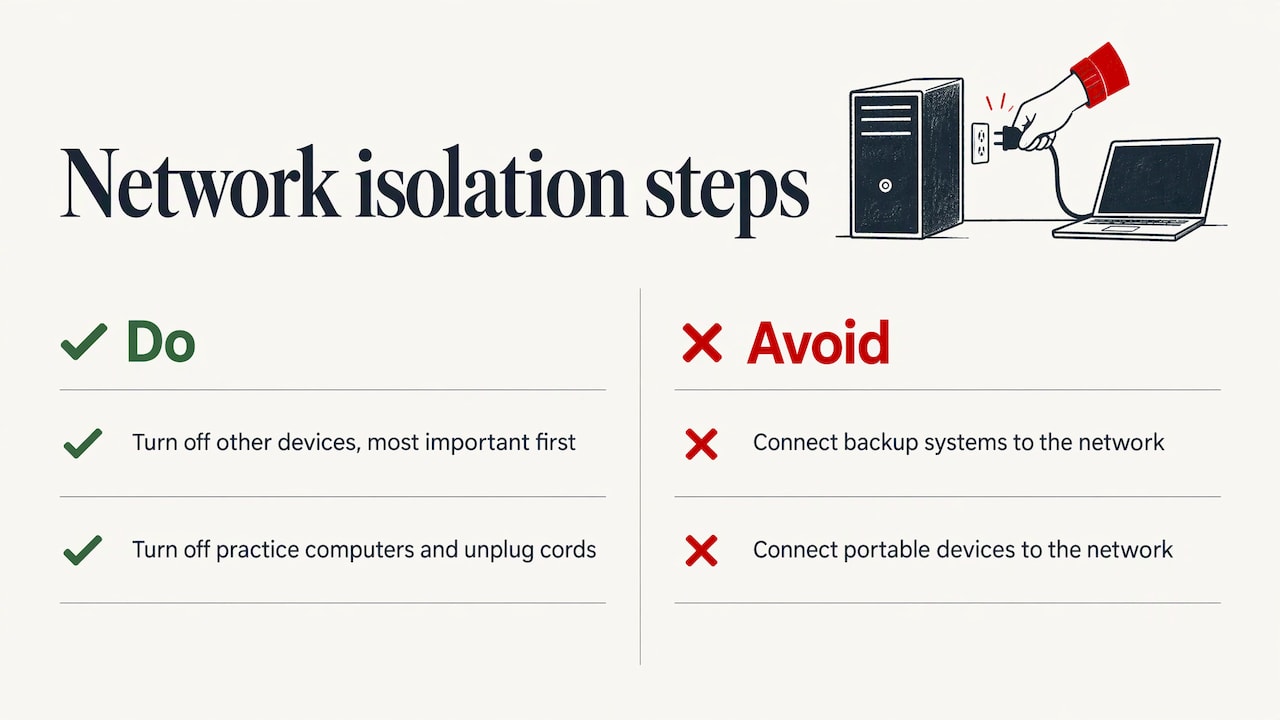
The same guide says to disconnect other devices on the same network by turning them off, starting with the most important ones. That includes other computers, network storage, and any laptops sitting on the Wi-Fi.
This step matters more for businesses than for homes. A survey of 331 Australian individuals and small business owners by the Australian Institute of Criminology found that small business owners were more likely than other victims to report ransomware spreading to other workplace devices, systems or email accounts.
If you run a medical or allied health practice, the RACGP advises that if you suspect an incident, turn off all computers in the practice and remove their power cords. It also says not to connect backup systems or portable devices such as laptops to the network, because that can spread the infection.
4. Change your passwords from a clean device
Some ransomware steals passwords. ACSC’s guidance on how to detect and remove malware says to change the passwords of accounts accessed from the infected device as soon as possible. Start with cloud storage, email, social media, online banking and business accounts.
Do this from a different device you trust, such as a phone that was not on the affected network. Turn on multi-factor authentication where it is offered.
5. Do not wipe anything yet
It is tempting to factory reset and move on. Resist that until someone has checked whether your files can be recovered. ACSC’s malware guidance notes that wiping permanently deletes information. A reset can destroy the only copy of data that a specialist might have been able to work with.
Ransomware removal vs ransomware recovery
People search for both terms and often assume they are the same thing. They are not.
| Ransomware removal | Ransomware recovery | |
|---|---|---|
| Goal | Get the malware off your devices and network | Get your files and systems working again |
| Typical work | Identify the infection, isolate machines, clean or rebuild affected systems, close the way in | Restore from clean backups, try verified decryption tools, rebuild accounts and settings |
| Depends on | Finding every infected device | Having clean backups or a working decryption option |
| Done when | Nothing malicious remains and passwords are changed | Your data is back and you have confirmed it opens correctly |
Removal comes first. ACSC advises removing the ransomware first and only then restoring from backups you are confident are free of it. If you restore onto a machine that is still infected, the ransomware simply locks the restored files again.
Removal does not automatically bring files back. If your files were encrypted, cleaning the malware does not decrypt them. That is the part of the job that depends on your backups or on whether a decryption method exists for that strain.
Should you pay the ransom?
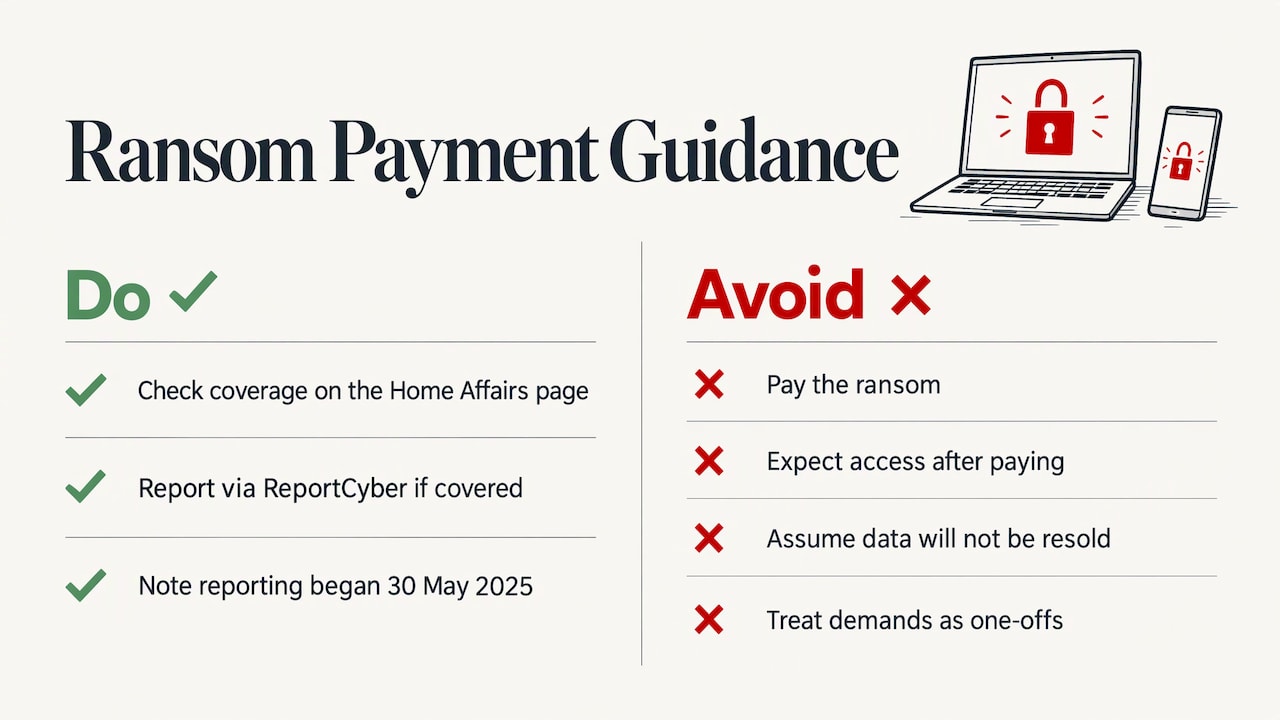
The Australian Government’s position is clear. The Department of Home Affairs says in its Ransomware Action Plan that Australia does not condone ransom payments. Paying does not guarantee access to locked systems or sensitive data, it may lead to repeat attacks, and there is no guarantee your data will not be on-sold.
In practical terms, you are dealing with a criminal. There is no contract, no support line and no refund. The AIC survey mentioned earlier also found that most ransomware victims had received multiple ransom messages in the past 12 months, which tells you these demands are not one-offs.
There is also a reporting rule for some organisations. Mandatory ransomware and cyber extortion payment reporting has been active since 30 May 2025 and is made through ReportCyber. It applies to certain larger organisations and critical infrastructure entities, so check the Home Affairs page to see whether your business is covered.
Can you get files back without paying?
Sometimes. There are three realistic routes, and a good technician will work through them in order.
Route 1: clean backups
This is the best outcome and the most common reason a recovery succeeds. If you have a recent backup that was not connected to the infected device or network when the attack happened, you can restore from it once the infection is gone.
ACSC warns that backups may be infected if they were on the infected device or the same network since the infection. Do not plug a backup drive into an infected computer to “check”. Hand it to the person doing the removal, who can inspect it on a clean system first.
Route 2: a free decryption tool
For some ransomware families, security researchers have built decryptors that work without a ransom. The No More Ransom project lists decryption tools for many strains, along with how-to guides for each.
To use it you need to know which strain you have. The ransom note wording, the file extension added to your files and any contact email address are the usual clues, which is why the photos in step one matter. Be careful with downloads: only take tools from a source you can trust, and run them on a clean system, never on the infected one.
Not every strain has a decryptor. Newer variants often do not, and a tool that works for one family will do nothing for another.
Route 3: professional recovery work
Where there is no backup and no public decryptor, the options narrow. A technician may be able to recover older copies of files that sit outside the encrypted data, such as cloud sync history, email attachments, previous versions or files on other devices. That is conventional data recovery work and results depend on the case.
Be wary of anyone who promises to unlock any ransomware, any time. Honest providers explain what they can check first and what the likely outcomes are.
When to call an IT professional
ACSC’s own advice is simple. If you think your backups may be infected or you do not have a backup, ask an IT professional for support. If you are unsure what to do, it also suggests seeking help from an IT professional.
In practice, call someone if any of these apply:
- You run a business and more than one device or user is affected.
- You have no backup, or you are not sure the backup is clean.
- Customer, patient or financial data may have been exposed.
- You cannot tell whether the infection is gone after your own cleanup.
- The ransom note mentions that data has been copied.
- You stored work files or business email in cloud accounts that may now be accessible with stolen passwords.
Do not try to run several anti-virus scanners and hope. That can be part of a cleanup, but it does not tell you whether data was stolen, whether the attacker still has access, or whether your backups are safe.
What a ransomware removal service actually involves
Exact steps vary with the case, but a thorough job generally covers the following.
- Containment. Confirm which devices are affected and keep them off the network.
- Identification. Work out the strain from the note, file extensions and system evidence, so you know whether a decryptor exists.
- Removal. Clean the infected systems, or rebuild them where cleaning cannot be trusted. Rebuilding is often the safer choice, which is why the data side has to be sorted out first.
- Backup check. Inspect your backups on a clean system before anything is restored.
- Restore. Bring back files from clean sources and confirm they open.
- Close the door. Change passwords, review how the infection got in, update software and check your remote access settings.
- Report. Report the incident to the ACSC through ReportCyber at cyber.gov.au.
The last step is worth doing even if you recover everything. Reports help build the picture of what is hitting Australian homes and businesses.
Our perspective
Most of the ransomware calls we get from Perth homes and small businesses follow the same pattern. Someone has already clicked, restarted a few times, tried a free scanner and plugged in a backup drive to see what is still there. Each of those steps makes the job harder.
We keep the process plain. We stop the spread, find out what we are dealing with, clean or rebuild the affected machines, and check your backups before anything goes back on. We explain each step in plain English so you know what is happening and why.
We also think the real fix is boring. A backup that is kept separate from your main network turns a crisis into an annoying afternoon. If you are a business, a managed plan with proactive patching and monitoring is far cheaper than a bad week with no systems. Our technicians do on-site and remote work, we do not charge a call-out fee or weekend surcharges, and our work is backed by a 30-day guarantee on workmanship and parts.
Shuan
Get help from a Perth technician
If ransomware has hit your home computer or your business network, our team can help with virus and malware removal, data recovery work and a proper backup check. We work on-site across Perth or remotely where that is safe and suitable.
Our published rates start from $132 per hour for home IT support and from $165 per hour for business IT support, with no call-out fee. Every job comes with our “No fix, no fee” policy. See our pricing page for the current details, or contact us through microsys.com.au to book a technician.
How to avoid a second attack
Once you are clean, shift to prevention. The measures below are the ones that matter most for small setups.
Keep a backup that the attack cannot reach
The ACSC advice to restore only from backups you are confident are clean only works if you have one. Keep at least one copy that is disconnected or otherwise separate from your everyday network. Test a restore now and then so you know it works. Our data backup and transfer service can set this up for a home or small office.
Learn the warning signs
Often a machine shows signs before files lock up: odd slowdowns, unknown programs, pop-ups or security tools switched off. Our guide to the signs your computer has a virus lists what to look for.
Tighten your accounts
Use a unique password for each important account, turn on multi-factor authentication for email and banking, and keep your software updates switched on. Our cyber security basics for small Perth businesses walks through the practical steps.
Consider a managed approach for your business
If you have staff and shared systems, one-off fixes only go so far. A managed arrangement puts patching, monitoring and backup checks on a schedule. Compare managed IT services with ad hoc support to see what suits your size, or look at our cyber security services for small business protection.
FAQ
How long does ransomware removal take?
It depends on how many devices are affected and whether clean backups exist. A single home computer with a good backup is a much shorter job than a business network with several infected machines. A technician should give you an honest estimate once they have looked at the systems.
Is ransomware removal the same as getting my files back?
No. Removal clears the malware from your devices. Getting files back depends on clean backups, a working decryption tool for that strain, or other recovery options. That is why removal is done first and recovery second.
Can I just factory reset my computer?
A reset removes the infection from that device, but ACSC notes that wiping permanently deletes information. If you have no clean backup, a reset could destroy data that might otherwise have been recoverable. Get advice before you wipe anything.
Where do I report a ransomware attack in Australia?
Report it to the ACSC through ReportCyber at cyber.gov.au. Some larger organisations and critical infrastructure entities also have a mandatory duty to report ransomware payments, so check the Home Affairs guidance if that might apply to you.
Should I pay to get my files back?
The Australian Government does not condone paying. Payment does not guarantee you will regain access to your data and may lead to repeat attacks. Speak to an IT professional about your other options first.
Sources
- ACSC Ransomware Emergency Response Guide
- ACSC: Detect and remove malware
- Australian Institute of Criminology: Ransomware targeting individuals and small businesses
- RACGP: How to respond to a cybersecurity incident
- Department of Home Affairs: Ransomware Action Plan
- Department of Home Affairs: How to make a ransomware payment report
- No More Ransom: Decryption Tools
Recommended
- Virus & Malware Removal Perth | PC & Mac Help
- Virus & Malware Removal Perth | PC & Mac Help
- Signs Your Computer Has a Virus
Made with BabyLoveGrowth technology
Filed under: Uncategorized